-
Posts
11,696 -
Joined
-
Last visited
-
Days Won
16 -
Points
29,425 [ Donate ]
Content Type
Profiles
Forums
Store
Downloads
Blogs
Competitions
Everything posted by letsdothis
-

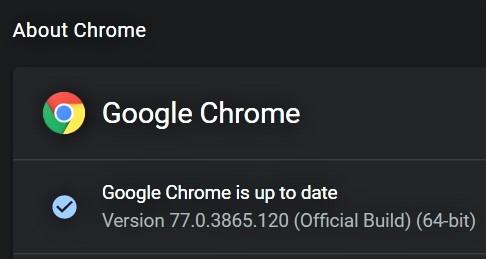
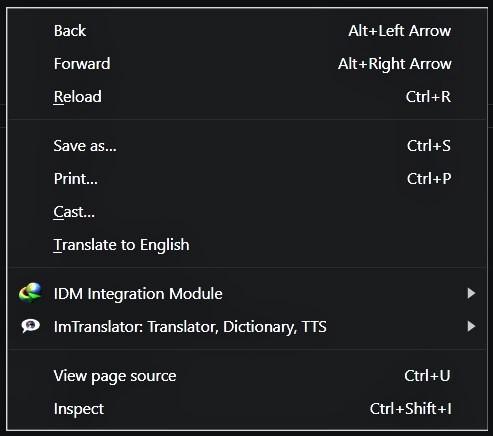
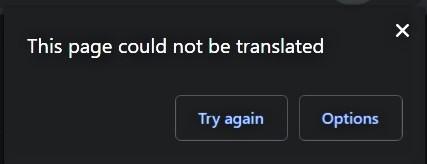
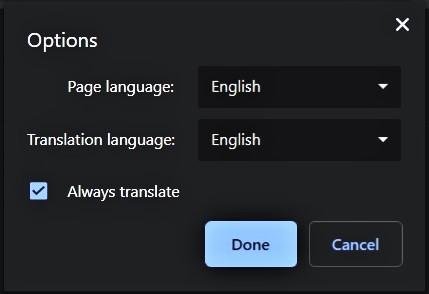
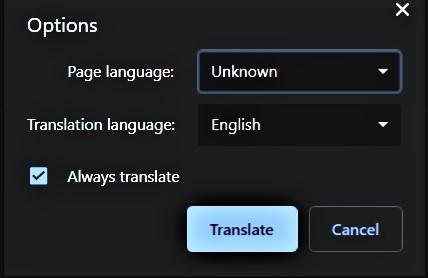
If you're using Chrome and the built-in right-click feature isn't working or isn't working correctly, try this. I don't normally use Chrome, but this is what I found a few minutes ago. I'm using this version of Chrome. 0 First, go to this page because it has several foreign language texts at the bottom of the page. https://camcaps.net/forums/topic/14068-anise-killian-2019-part-1/?page=34 Scroll to the bottom part of the page, so that you see at least a couple of the foreign language comments on your screen. Next, without highlighting anything on the page (important), right-click on a blank area of the page. Hopefully, you'll see something that looks similar to this. 0 Click on Translate to English and you'll see a box that looks like this. 0 Ignore the error msg and click the Options button. You'll see this box. 0 Click on the drop-down menu for Page language and choose unknown. When you do that, the Done button will change to translate. Like this. Make sure Always translate is checked and click the Translate button. Almost immediately, you should see all the foreign language on the page translate to English. Unfortunately, this feature is just temporary. The next page you go to with any foreign language on it, or if you refresh any page you've already translated, you'll have to go through the same procedure each time. If this feature doesn't work for you, or if it doesn't appeal to and you'd rather use a quicker and easier method, let me know. There are other ways to do this (that aren't built-in). I hope this is helpful.
-
I thought about trying it sometime ago, but never got around to it. Maybe I'll give it a go. Thanks.
-
Anise & Killian (2019) Part #1
letsdothis replied to jabbath1987's topic in Killian - (09/11/19 - 11/30/19)
Hi, Squish. I'm guessing you use Chrome, since AFAIK that's the only browser with built-in, right-click translation. Don't quote me on that as I have not used all available browsers. I don't normally use Chrome, but this is what I found a few minutes ago. I'm using this version of Chrome. First, go to this page because it has several foreign language texts at the bottom of the page. https://camcaps.net/forums/topic/14068-anise-killian-2019-part-1/?page=34 Scroll to the bottom part of the page, so that you see at least a couple of the foreign language comments on your screen. Next, without highlighting anything on the page (important), right-click on a blank area of the page. Hopefully, you'll see something that looks similar to this. Click on Translate to English and you'll see a box that looks like this. Ignore the error msg and click the Options button. You'll see this box. Click on the drop-down menu for Page language and choose unknown. When you do that, the Done button will change to translate. Like this. Make sure Always translate is checked and click the Translate button. Almost immediately, you should see all the foreign language on the page translate to English. Unfortunately, this feature is just temporary. The next page you go to with any foreign language on it, or if you refresh any page you've already translated, you'll have to go through the same procedure each time. If this feature doesn't work for you, or if you'd rather use a quicker and easier method, let me know. There are other ways to do this (that aren't built-in). I hope this is helpful. -
Much better.
-
I'm gonna get you. Dog playing with a child.webm
-
Here she comes. Wait for it. Such titties.webm
-
Serves him right. Instant karma at work.webm
-
Funny Cats.webm
-
If it's any consolation, I would agree that Rob's behavior wasn't unacceptable. Maybe he's not a brass neck, at least according to Cambridge.